Why Spreadsheets Are Not an Inventory System
A spreadsheet shows you what you counted. It does not tell you what to order, calculate your PAR levels, or train your team. You need one simple tool that counts, compares, and generates your order in twenty minutes. No real-time tracking. No POS integration. Just one count, one order, one app.
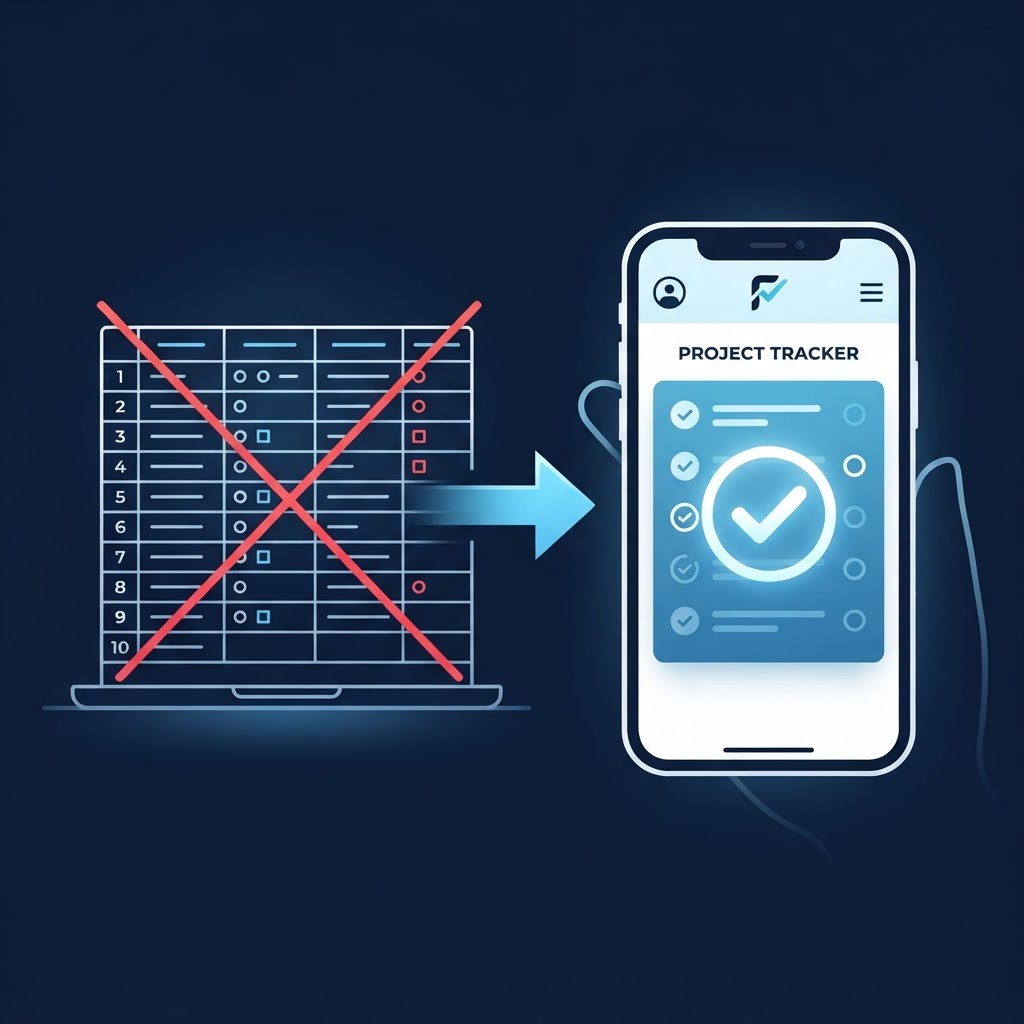
If you are currently managing your inventory with a spreadsheet, you are not alone. Most small restaurants and retail shops start there. You open Excel or Google Sheets, you create some columns for product names and quantities, and you feel organized. For a while, it even works. The numbers are in one place. You can sort them. You can print them. It feels like a system.
But it is not a system. It is a document. And the difference between a document and a system is the difference between a map and a car. A map shows you where you are. A car gets you where you need to go. A spreadsheet shows you what you counted. It does not tell you what to order. It does not calculate your PAR levels. It does not train your team. It sits there, passive and silent, waiting for you to do all the thinking.
The clipboard and the binder are no better. The clipboard holds your count sheet but does not add the numbers for you. The binder holds your procedures but does not make anyone read them. Together, the spreadsheet, the clipboard, and the binder create the illusion of control while quietly forcing you to do all the work yourself.
Here is why that illusion breaks down, what you actually need instead, and how the right tool turns inventory from a two-hour chore into a twenty-minute habit.
A Spreadsheet Does Not Tell You What to Order
The fundamental job of an inventory system is to answer one question. What do I need to buy? A spreadsheet cannot answer that question. It can only hold the numbers that you, the human, must interpret.
Here is what happens on inventory day. You open your spreadsheet and see last week's counts. You walk the stock room with a clipboard and write down this week's counts. Then you sit at a computer and type those numbers into the spreadsheet. Now you have two columns of data. Last week and this week.
To figure out what to order, you have to do the math yourself. You subtract this week's count from last week's count. You add any deliveries that came in between. You compare the result to your PAR level, which you also have to remember or look up in another tab. Then you decide whether to order and how much.
Every one of those steps is an opportunity for error. You transpose a number while typing. You forget a delivery from Wednesday. You misremember your PAR level for chicken. By the time you generate an order, you are working from a chain of manual calculations, any one of which could be wrong.
And that is just for one product. Multiply that process by fifty or a hundred products, and you have spent an hour doing math that a machine should handle in seconds. The spreadsheet did not help you. It watched you work.
Even worse, the spreadsheet does not know your business. It does not know that your usage spikes on weekends. It does not know that your supplier requires a two-day lead time. It does not know that you are closed on Mondays and your count day needs to account for that gap. A spreadsheet is a blank grid. You are the one bringing the intelligence, and that is exactly why it fails when you are tired, busy, or distracted.
A Clipboard Does Not Calculate Your PARs
The clipboard is the spreadsheet's partner in crime. It accompanies you into the stock room, looking official, pretending to be a tool. But a clipboard is just a piece of paper on a board. It does not calculate anything. It does not warn you when a count looks wrong. It does not connect to your ordering system. It holds your handwriting, and that is all.
When you count with a clipboard, you are the computer. You read the product. You look at the shelf. You write down the number. You move to the next item. The clipboard does not guide you. It does not remind you that you skipped a shelf. It does not flag that your count for gloves is half of what it was last week, which might mean you missed a case or someone moved it.
After the count, the clipboard sits on your desk while you manually transfer its contents into the spreadsheet. This transcription step is where a huge percentage of inventory errors are born. A seven becomes a one. A case count gets recorded as a unit count. A smudged number gets guessed. The clipboard has no validation. It accepts whatever you write, whether it makes sense or not.
The clipboard also traps knowledge in one person's hands. If you are the only one who can read your handwriting or understand your abbreviations, you are the only one who can count. If you are sick on inventory day, the count does not happen or it happens wrong. A system that depends on one person's handwriting is not a system. It is a single point of failure with a clip on it.
| Tool | What It Does | What It Does Not Do |
|---|---|---|
| Spreadsheet | Holds your count data in columns | Calculate orders, set PARs, guide counts, train team |
| Clipboard | Holds your handwritten count sheet | Validate numbers, prevent skips, connect to ordering |
| Binder | Holds your procedures and PAR levels | Train anyone, correct mistakes, stay current automatically |
A Binder Does Not Train Your Team
Some managers supplement their spreadsheet and clipboard with a binder. The binder holds the procedures. How to count. When to count. What the PAR levels are. Who is allowed in the stock room. It sits in the office, thick and impressive, full of good intentions.
But a binder does not train anyone. It waits. It waits for someone to open it, read it, understand it, and remember it. In the real world of restaurants and retail, that almost never happens. New employees do not read the binder. Existing employees forget what the binder says. Managers mean to update the binder, but they get busy, and the procedures inside slowly become outdated.
A binder is a reference, not a teacher. It cannot correct someone in the moment when they are putting a delivery away in the wrong spot. It cannot remind a new shift lead that the count happens on Tuesday mornings. It just sits there, accumulating dust and irrelevance.
The result is that your inventory knowledge lives in your head, not in your business. When you are present, things run your way. When you are absent, people guess. A binder full of procedures that nobody follows is worse than no binder at all, because it creates the false impression that training has happened.
You Do Not Need Real-Time Tracking or POS Integration
When managers realize their spreadsheet is failing them, they often swing too far in the other direction. They look at enterprise inventory software with real-time tracking, POS integration, barcode scanners on every shelf, and automated purchasing that connects directly to suppliers. It looks powerful. It also looks expensive, complicated, and completely wrong for a small operation.
Here is the truth that the software salespeople do not want you to know. You do not need real-time tracking. You are not Amazon. You do not have robots moving product around a warehouse. You have a stock room, a walk-in, and a few shelves. Knowing exactly how many onions you have at 3:47 PM on a Thursday does not help you make better decisions. Knowing how many you have on Tuesday morning before you place your weekly order does.
You do not need POS integration either. POS integration sounds magical. Every sale automatically deducts from your inventory. In theory, your system always knows what you have. In practice, it never works that cleanly in a small operation. A cook drops a pan and remakes a dish. The POS records one sale, but you used two portions. A server comps a meal. The POS records zero revenue, but you still used the ingredients. A prep cook trims vegetables differently than the recipe assumes. The POS thinks you used four ounces, but you used five.
| Feature | Do You Need It? | Why |
|---|---|---|
| Real-time tracking | No | You need weekly counts, not minute-by-minute updates |
| POS integration | No | Waste, comps, and trim make POS numbers drift from reality |
| Barcode scanning | Yes | Prevents misidentification and skipped items during counts |
| Auto PAR calculation | Yes | Removes manual math and keeps reorder points current |
| Order suggestions | Yes | Turns your count into an actionable order in seconds |
| Zone-based counting | Yes | Guides you through the stock room without skipping shelves |
These small errors compound every day, and by the time you do your physical count, your POS-integrated system is so far off from reality that you do not know which number to trust. The physical count, which is the ground truth, or the integrated system, which is a fantasy built on assumptions.
What you need is not more complexity. You need a simple tool that does a few things well and that your team will actually use.
What You Actually Need: One Count, One Order, One App
The ideal inventory tool for a small restaurant or retail shop is not a Swiss Army knife. It is a hammer. It does one job, it does it well, and everyone knows how to swing it.
That job is simple. Count what you have. Compare it to what you need. Generate an order. Done.
You need a tool that guides you through the count so you do not skip shelves or miscount cases. You need a tool that knows your PAR levels and calculates your order suggestions automatically. You need a tool that your team can learn in five minutes, because if it takes a manual and three training sessions, they will not use it.
One count, one order, one app. That is the formula. You walk into the stock room with your phone. You scan or tap through your zones. You enter the numbers. The app does the math. It tells you what to order. You review the list, adjust if needed, and send it. Twenty minutes from start to finish.
The tool should not require a computer in the office. It should not require exporting data to a spreadsheet. It should not require you to remember formulas or look up PAR levels in a binder. All of that lives in the app, where it belongs, updated automatically based on your actual usage.
Your team should be able to use it without you. If the app is simple enough, a shift lead can run the count. A receiver can check stock levels when a delivery arrives. A new employee can see what is low without asking. The tool becomes the system, and the system works whether you are in the building or not.
The Payoff: Twenty Minutes, Not Two Hours
When you replace the spreadsheet, clipboard, and binder with a single simple tool, the time savings are immediate and dramatic.
The count itself gets faster because the app guides you zone by zone. You do not hunt for the right row in a spreadsheet. You do not flip pages on a clipboard. You tap, scan, enter, and move on. An organized stock room plus a guided count flow turns a ninety-minute count into a twenty-minute walkthrough.
The order generation gets faster because the app does the math. No more manual subtraction. No more looking up PAR levels. No more wondering if you remembered every delivery from the past week. The app compares your count to your PAR, factors in your recent usage, and suggests an order. You review and send. Five minutes.
The training gets faster because the app teaches by doing. A new employee opens the app, sees the zones, and follows the prompts. They do not need to read a binder. They do not need you to walk them through the stock room for three weeks. The tool enforces the process, and the process trains the person.
| Task | Spreadsheet + Clipboard + Binder | One Simple App |
|---|---|---|
| Counting | 90 minutes (hunt, write, transcribe) | 20 minutes (scan, tap, move on) |
| Ordering | 30 minutes (manual math, PAR lookup) | 5 minutes (auto-generated, review, send) |
| Training | 3 weeks of shadowing | First day (app guides the count) |
| Total weekly time | 2+ hours | ~25 minutes |
The total time drops from two hours of administrative work to twenty minutes of focused activity. That hour and forty minutes is yours again. You can spend it on the floor with your team. You can spend it analyzing your numbers instead of calculating them. You can spend it going home at a reasonable hour because the inventory is done and you trust the result.
Making the Switch Without Disrupting Your Operation
If you are currently running on spreadsheets and clipboards, switching to a new tool feels risky. You worry about losing your data. You worry about the learning curve. You worry that your team will resist.
Start small. Pick one product category and run a parallel count. Use your old system and the new app for the same category on the same day. Compare the results. You will almost certainly find that the app is faster and the numbers are more reliable. That single comparison builds confidence.
Do not try to import years of spreadsheet history into the new tool on day one. You do not need it. What you need is accurate data going forward. Set your PAR levels in the app based on your best estimates, and let the tool refine them over the next three weeks as it learns your actual usage. The app gets smarter with every count. Your spreadsheet never did.
Train one person first, ideally yourself. Run the count solo for two weeks until the rhythm feels natural. Then hand the phone to a shift lead and watch them do it. If they can figure it out without your help, the tool is simple enough. If they need you hovering over their shoulder, the tool is too complex.
TrackItWeekly was built for managers who are tired of juggling a spreadsheet, a clipboard, and a binder just to figure out what to order. The app replaces all three with one simple workflow. You count by zone on your phone, the app calculates your PAR levels and generates your order suggestion automatically, and your team can learn it in minutes without reading a manual. No real-time tracking complexity. No POS integration headaches. Just one count, one order, and twenty minutes of your week back. Start your free 14-day trial today, no credit card required.
Frequently Asked Questions
Why is a spreadsheet worse than a simple app if I am good at Excel?
Being good at Excel is not the problem. The problem is that a spreadsheet requires you to be good at Excel every single week, without fail, when you are tired, busy, or distracted. It also requires anyone who covers for you to be good at Excel. An app removes that dependency.
What if I lose my phone or the app stops working?
Any tool with cloud backup stores your data on a server, not just on your device. If your phone dies, you log in on another device and pick up where you left off. Digital tools are actually more resilient than paper once you trust the backup.
How do I get my team to actually use a new inventory app?
Choose an app that is simpler than what they are doing now, not more complex. If the app saves time and removes confusion, they will use it. Show them the time savings. Run a count together and let them see the order generate automatically.
Can I still export data if I need to share it with my accountant or owner?
Most modern inventory apps include export features. You can generate a report, download a CSV, or email a summary. The export happens after the work is done, not during.
What about operations that are too small for any digital tool?
If you are a one-person operation with ten products, a no