Why Labeling Everything in Your Stock Room Saves Hours Every Week
Labels turn a stock room from a memory test into a machine. Thirty seconds of labeling saves thirty minutes of searching. Label zones, shelves, bins, and individual items so your team can find, count, and put away product without asking you where anything is.
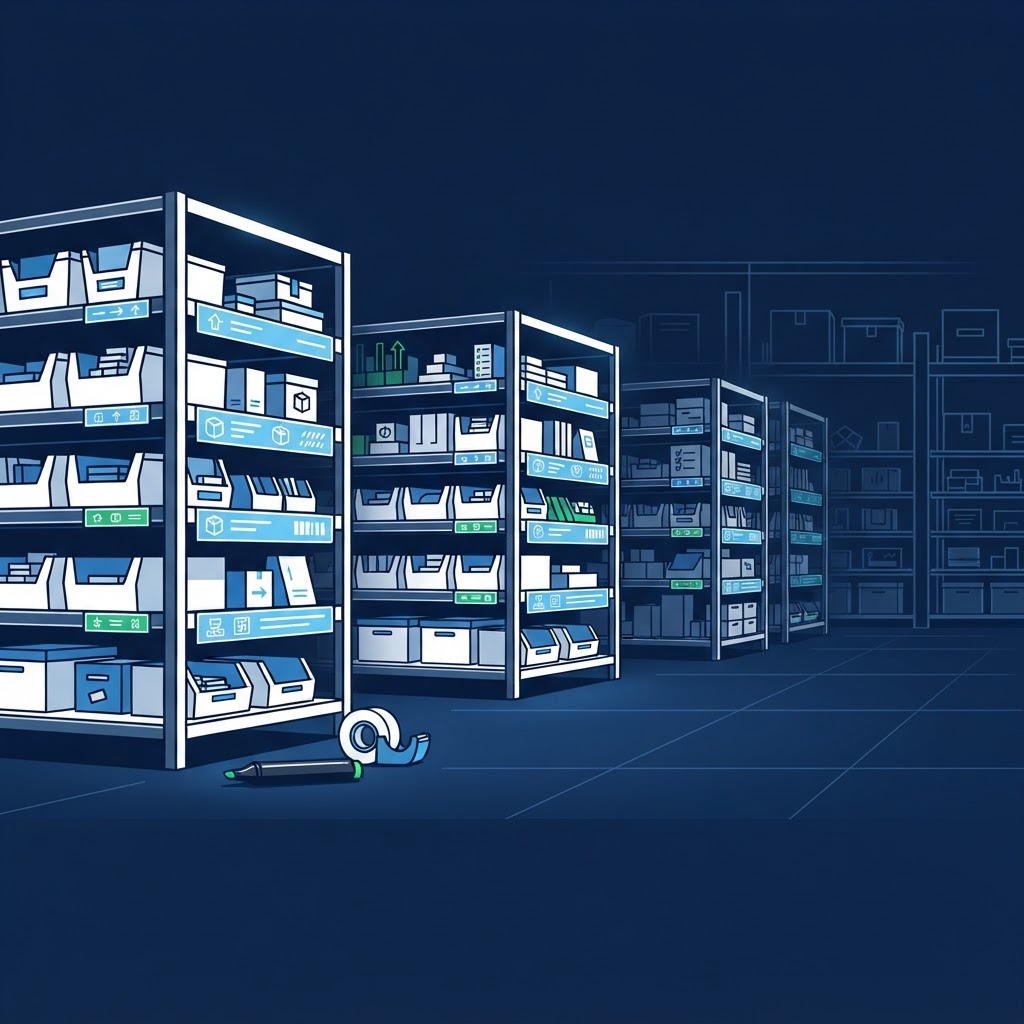
There is a moment that happens in almost every small business stock room. A new employee walks in to find a backup case of gloves, or a roll of labels, or the special seasoning the chef needs for tonight's special. They look around. They open a bin. They check a shelf. They wander back out and ask the manager where it is. The manager stops what they are doing, walks into the stock room, reaches behind two boxes on the second shelf, and pulls out exactly what the employee needed.
The manager feels helpful. The employee feels grateful. And the business just lost ten minutes of productivity for no reason at all.
That scene plays out dozens of times a week in unlabeled stock rooms. It feels like a minor inconvenience. It is not. It is a tax on your time, a bottleneck in your training, and a ceiling on your growth. When only one person knows where everything lives, you do not have a system. You have a trap. And the trap catches everyone, including the person who built it.
Labeling is the cheapest, fastest way to turn a stock room from a memory test into a machine. It takes seconds to do and pays back in hours every single week. Here is why it matters and how to do it right.
Thirty Seconds of Labeling Saves Thirty Minutes of Searching
Let us do some quick math that should embarrass every manager who has ever said they are too busy to label.
A handwritten label takes about thirty seconds to make. A printed label takes less. Tape, marker, done. That thirty-second investment pays you back every time someone finds what they need without asking for help.
If your team spends ten minutes a day searching for unlabeled items, that is fifty minutes a week. If you have three people who regularly use the stock room, that is two and a half hours of lost time every week. Over a year, that is more than a hundred hours of wages spent on a problem that a roll of tape could solve.
The math gets worse when you count the interruptions. Every time someone asks you where something is, you lose focus on whatever you were doing. A manager in the middle of scheduling, or ordering, or handling a customer issue gets pulled away to play stock room guide. The interruption costs more than the answer. Studies on workplace focus show that recovering from a single interruption can take fifteen minutes or more. So a thirty-second question actually costs you fifteen minutes of productive work.
| Time Investment | Time Wasted Without Labels | Annual Cost |
|---|---|---|
| 30 seconds per label | 10 min/day searching per person | 43+ hours/person/year |
| 1 afternoon to label everything | 3 people x 50 min/week | 130+ hours/team/year |
| $5 in tape and markers | 15 min focus recovery per interruption | Countless lost productive hours |
Labels eliminate the question. A good label answers it before anyone asks. The employee reads the label, finds the item, and gets back to work. The manager stays focused. The system runs without a referee.
And the best part is that labels work while you are not there. When you are on vacation, or at a doctor's appointment, or working a different shift, the labeled stock room keeps operating. Your team does not freeze because the only person with the map is absent. The map is on the wall.
Unlabeled Means Only You Know: That Is a Trap, Not a System
Every manager who runs an unlabeled stock room tells themselves the same story. "I know where everything is. My core team knows where everything is. It is fine."
It is not fine. It is a trap, and you built it yourself.
When you are the only person who knows the system, you cannot leave. You cannot promote yourself out of the daily grind because the daily grind depends on your memory. You cannot delegate the stock room to a shift lead because they will call you with questions. You cannot scale to a second location because you cannot clone yourself.
Worse, your knowledge is fragile. You get sick. You forget. You have a bad day and put something in the wrong spot and then cannot find it yourself. Memory is not a system. Memory is a liability dressed up as expertise.
An unlabeled stock room also creates a power dynamic that hurts your team. Employees feel dependent on you for basic information. They stop trying to figure things out because they know you will just tell them. They do not learn the stock room because there is nothing to learn. It is just your private filing cabinet that they are allowed to borrow from.
Labels change the power dynamic. They make knowledge public and accessible. They turn your stock room into a shared resource that anyone can use. That is what a system looks like. A system works without you. A trap only works because of you.
What to Label: Shelves, Bins, Zones, and Individual Items
Labeling is not complicated, but it is specific. A vague label is almost as bad as no label. "Cleaning Supplies" tells someone which general area to look in. "Glass Cleaner, 2 Bottles Max" tells them exactly what lives there and how much should be there.
| What to Label | Example Label | Why It Matters |
|---|---|---|
| Zones | "Dry Storage" / "Cold Storage" / "Overflow" | Sets boundaries so people know which area they are in |
| Shelves | "Top: Paper Products / Middle: Canned Goods" | The address that tells you which shelf holds what |
| Bins | "Quart Containers, 500 Count" | The apartment number. Bins move, labels stay relevant |
| Individual Items | "Diced Tomatoes - Rec'd 7/15" | Prevents mix-ups between similar-looking products |
Start with your zones. The dry storage area should have a zone label at the entrance. The cold storage area should have a zone label on the cooler door. The overflow area should have a zone label that makes it clear this is backup stock, not active stock. Zone labels set the boundaries so people know which neighborhood they are in.
Then label your shelves. Each shelf should have a label that identifies the product category or the specific product that lives there. If a shelf holds multiple products, label each section. "Top Shelf: Paper Products. Middle Shelf: Canned Goods. Bottom Shelf: Backup Condiments." The shelf label is the address. The bin label is the apartment number.
Bins and containers need their own labels because bins move. A bin labeled "Quart Containers, 500 Count" tells your receiver exactly what to put inside and tells your team exactly what they are grabbing. If the bin is empty, the label still tells everyone what belongs there. An empty labeled bin is a signal to reorder. An empty unlabeled bin is just a plastic box.
Individual item labels matter for products that look similar or that have specific rotation requirements. A case of diced tomatoes and a case of crushed tomatoes look almost identical until you open them. Label the front of each case with the product name and the delivery date. A bottle of olive oil and a bottle of vegetable oil sit on the same shelf in similar bottles. Label the shelf spot so the wrong bottle never gets grabbed by mistake.
For products with expiration concerns, add the expiration date to the label or the case. "Use By: August 15." This makes FIFO rotation automatic because anyone can see which item needs to go first.
Labels Train Your Team Without You Saying a Word
The best training tool in your stock room is not a manual. It is not a video. It is not a thirty-minute orientation session where you walk a new hire around and point at things. It is a label.
Labels teach by doing. A new employee puts away a delivery and reads the shelf label to know where the case goes. They do not have to memorize a map. They just have to read. The label trains them in real time, during actual work, without taking anyone away from their job.
This is called embedded training, and it is the most effective kind because it happens in context. People learn faster when the information is right in front of them at the moment they need it. A training manual in the office is useless when the employee is standing in the stock room with a case in their hands. A label on the shelf is exactly where the learning needs to happen.
Labels also create consistency across shifts. The night crew puts things away the same way the day crew does because the labels tell them where things go. There is no shift-to-shift drift where the night manager has their own system that conflicts with the day manager's system. The label is the system, and it works the same at 6:00 AM or 10:00 PM.
Over time, your team internalizes the labels. They stop reading them consciously because the layout becomes familiar. But the labels are still doing their job for every new person, every temporary worker, and every visiting manager who walks through your stock room.
Labels Make the System Work Without You
This is the ultimate test of any operational system. Does it work when you are not there?
If your stock room falls apart the moment you step out, you do not have a business. You have a job with no weekends. Labels are how you escape that job.
When everything is labeled, your team can receive deliveries without you. They can find backup supplies without you. They can count inventory without you. They can train new employees without you. The stock room becomes a self-managing asset instead of a dependency that chains you to the building.
This matters for growth. If you want to open a second location, you need systems that do not require your physical presence. A labeled stock room at location one becomes the template for location two. You can photograph the layout, send it to the new manager, and know that the system will replicate because the labels make the logic visible.
It matters for emergencies. If you get sick or have a family crisis, your team does not panic because the stock room map is not locked in your head. It is on the walls where anyone can read it.
It matters for your sanity. Every hour you spend answering "where is the..." questions is an hour you are not spending on the work that actually grows your business. Coaching your team. Improving the customer experience. Planning for the future. Labels buy you that time back.
The Payoff: Faster Counts and Onboarding in Hours, Not Weeks
When your stock room is fully labeled, the benefits show up immediately in two places that matter most to managers.
Your weekly inventory counts get dramatically faster. A labeled stock room is an organized stock room, and an organized stock room is a countable stock room. You walk in, you read the labels, you record the numbers, and you leave. You do not hunt. You do not move boxes to see what is behind them. You do not second-guess whether that bin holds gloves or hairnets. The label tells you, and the count proceeds in a straight line.
For a new employee, a labeled stock room turns onboarding from a weeks-long shadowing process into a self-directed orientation. You show them the zones, explain the labeling system, and let them explore. They can find what they need on their first day. They can put away a delivery on their second day. They can run a basic count on their third day. What used to take three weeks of hand-holding now takes three days of guided independence.
This speed matters more than ever in a tight labor market. Employees who feel competent fast stay longer. Employees who spend weeks feeling lost and dependent leave as soon as they find a workplace that respects their time. A labeled stock room is not just an operational tool. It is a retention tool.
Keeping Labels Current and Useful
Labels are not a one-time project. They are a living system that needs maintenance. Products change. Suppliers change. Layouts change. A label that says "Old Sauce Brand" when you switched vendors six months ago is worse than no label because it creates confusion.
Build label maintenance into your monthly stock room audit. Walk every zone and check every label. Is it still accurate? Is it still legible? Is the product it describes still something you carry? Replace worn labels. Update changed labels. Remove labels for discontinued products.
Make sure your labels are durable enough for your environment. A paper label in a humid cooler will disintegrate in a month. Use waterproof labels or laminate paper labels for cold and wet areas. Use permanent markers that do not fade under fluorescent lights. A label that cannot be read is just decoration.
If you use a digital inventory system, consider linking your physical labels to your digital records. A bin label that matches your app category makes counting faster because your physical walk matches your digital workflow. The label "Dry Storage, Shelf 3, Bin B" corresponds to the same zone in your app. Your team counts what they see and records it where the system expects it.
TrackItWeekly makes your labeled stock room even more powerful by matching your physical zones to a simple digital count flow. When your shelves are labeled and your app categories align with those labels, your team can count by zone without guessing where to record each item. The barcode scanner confirms the product identity, and the zone-based layout means you never backtrack or miss a shelf. An organized, labeled stock room is the foundation, and a counting tool built for that foundation makes the whole system run without you. Start your free 14-day trial today, no credit card required.
Frequently Asked Questions
What is the cheapest way to start labeling if I have no budget?
Masking tape and a permanent marker. It costs less than five dollars and takes an afternoon. A handwritten label that is accurate beats a printed label that does not exist yet.
How specific should my labels be?
As specific as possible. "Cups" is too vague. "16 oz Cold Cups, 1000 Count, Max 2 Cases" is specific. The label should tell someone what the item is, what size or variant, and ideally how much should be stored in that spot.
Should I label the floor or just the shelves?
Label anything that holds inventory. Shelves, bins, hooks, racks, cooler doors, and even the floor if you use floor stacking for overflow. If a product lives there, that spot needs a label.
What if my team ignores the labels and puts things wherever they want?
Then you have a management problem, not a labeling problem. Walk the stock room daily during the first few weeks. Correct misplaced items immediately. Most people comply once they understand the label is not a suggestion. It is the rule.
How do labels help with inventory counting specifically?
Labels turn counting from a scavenger hunt into a checklist. You count in logical order without searching. You notice immediately when something is missing or misplaced. Labels prevent double-counting because you know exactly which zone each product belongs to.