// cafes & coffee shops
Inventory Management for Cafes
TrackItWeekly is a weekly inventory platform built for cafe operators who want structured weekly counts, automatic PAR calculations, and clear ordering guidance without POS integration. It runs on any phone with barcode scanning, works offline, and tells you exactly what to order in under 5 minutes of setup.
Never guess what to order again.
From count to decision in one workflow. Built by a multi-unit franchise operator who got tired of spreadsheets and overcomplicated POS software.
No credit card required · 14 days free
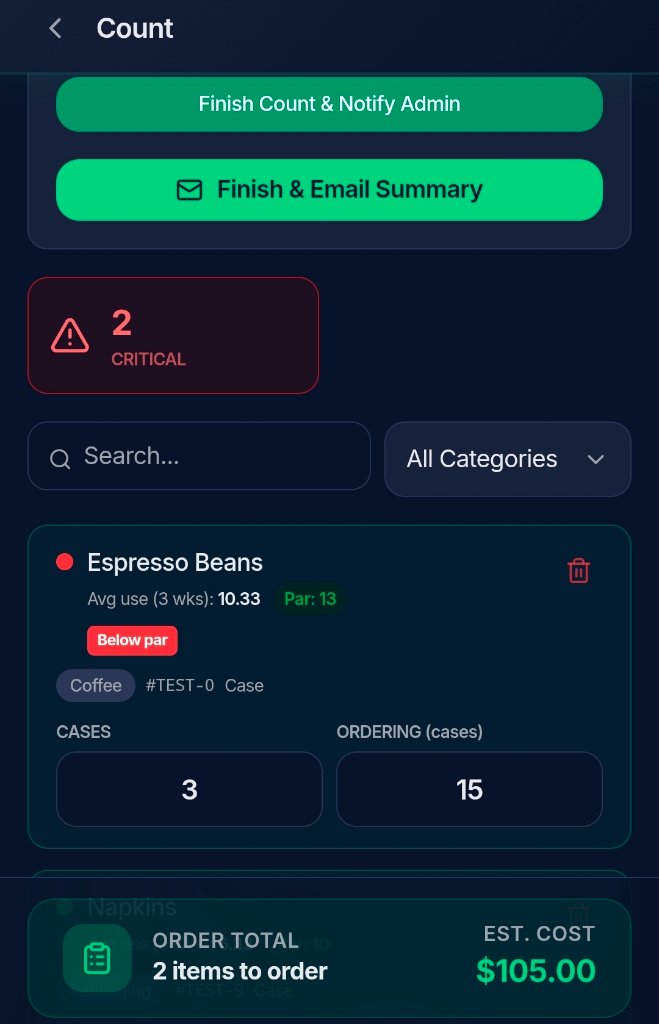
The count screen: red dots flag items below par, with usage history and ordering guidance built in.
// how it works
How TrackItWeekly works for cafes
Coffee shops and cafes have a specific inventory rhythm. You count weekly, you order based on what you actually used, and you need to know when you're running low on the things that matter most. TrackItWeekly is built around that exact workflow.
1. Do the count
Pull out your phone, open the app, and count. Scan barcodes with your camera or a Bluetooth scanner. Work offline if your wifi is down. The count queues and auto-syncs when you reconnect.
Stock Dots show green (above par), yellow (near par), red (below par), and gray (no history yet).
2. Let TrackItWeekly do the math
Once your count is done, TrackItWeekly calculates everything automatically. Rolling 3-week average usage per item, PAR levels adjusted for seasonal demand, and ordering guidance based on what you actually need. No spreadsheets, no manual math.
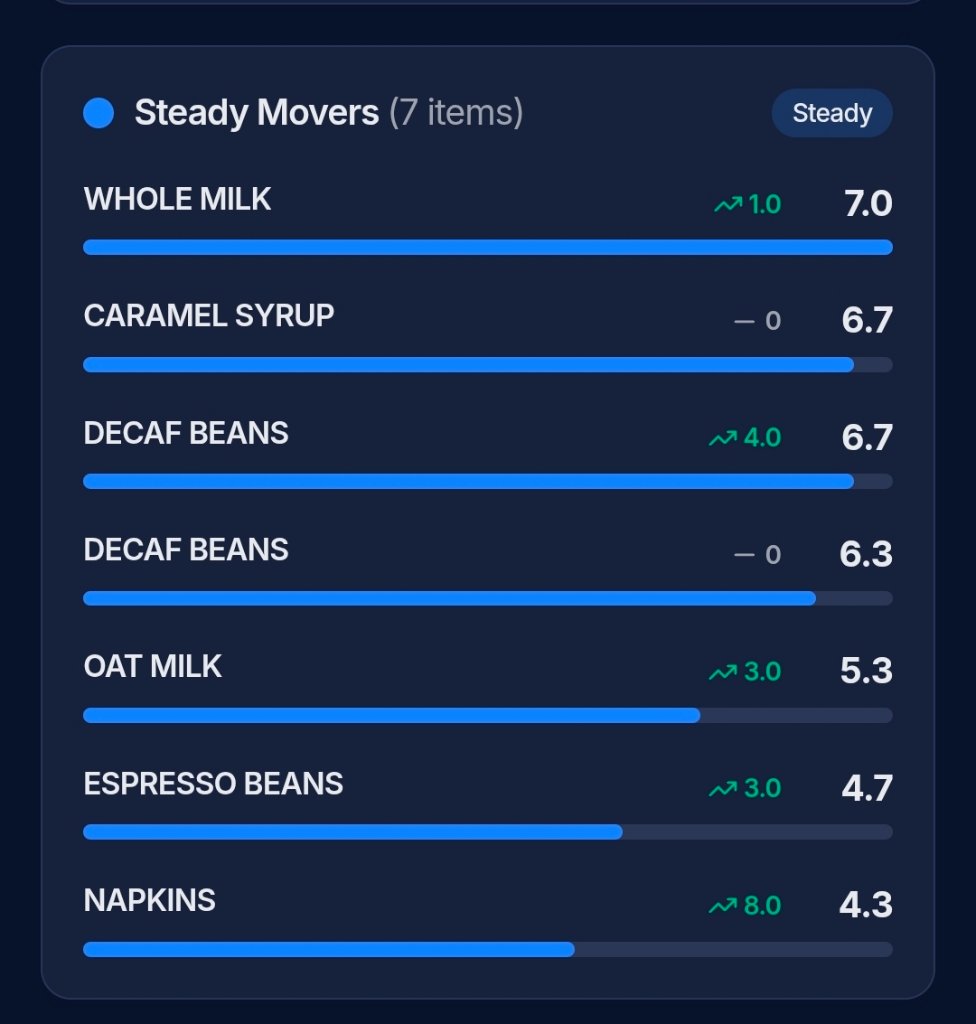
Steady Movers: velocity intelligence shows which items are trending up or down so you can adjust ordering before you run out.
3. Know exactly what to order
The app tells you what to order, how much, and why. Every item below par gets flagged with a red dot. Your order total is calculated automatically. One tap sends the full summary to your team or vendor.
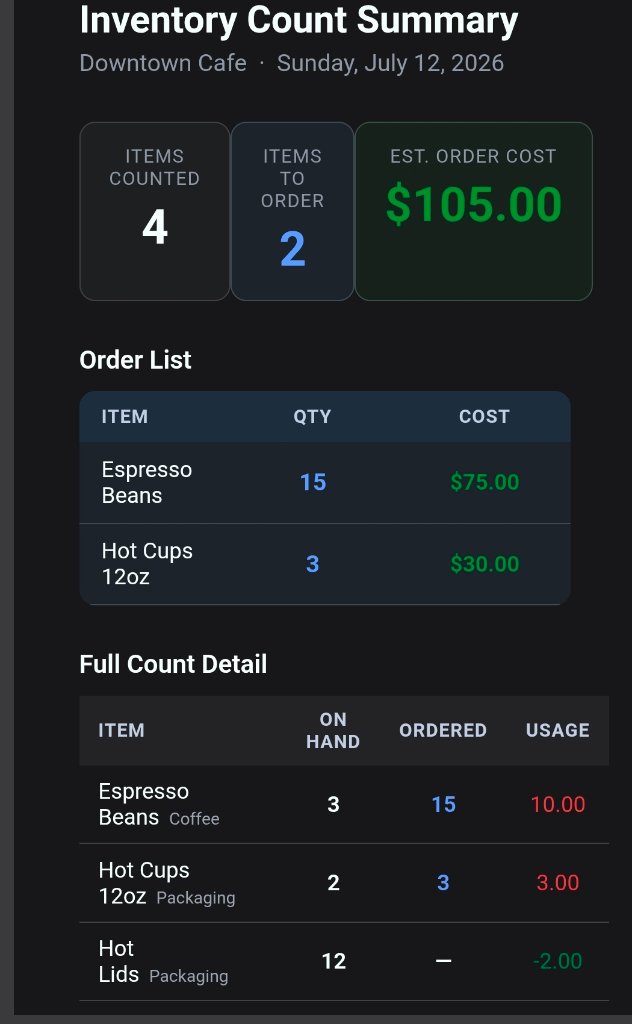
Finish and Notify: the full count summary emails directly to your team or admin. Closed-loop weekly ordering, done.
// cafe operations
Built for how cafes actually operate
Barcode scanning that works
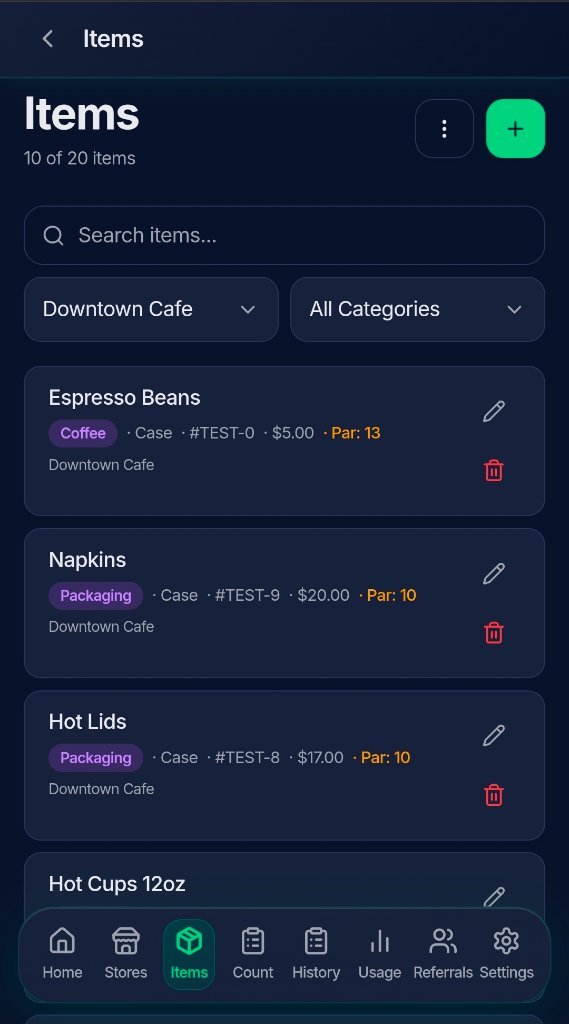
Scan with your phone camera or any Bluetooth scanner (Zebra, Honeywell, Socket Mobile, Tera). Supports UPC, EAN, Code 128, Code 39, QR, and Data Matrix. No special hardware required.
Automatic PAR levels
PAR levels are calculated automatically based on your rolling 3-week usage average. Seasonal multipliers (1x, 1.5x, 2x) let you adjust for busy weeks without manual recalculation.
Import your vendor list
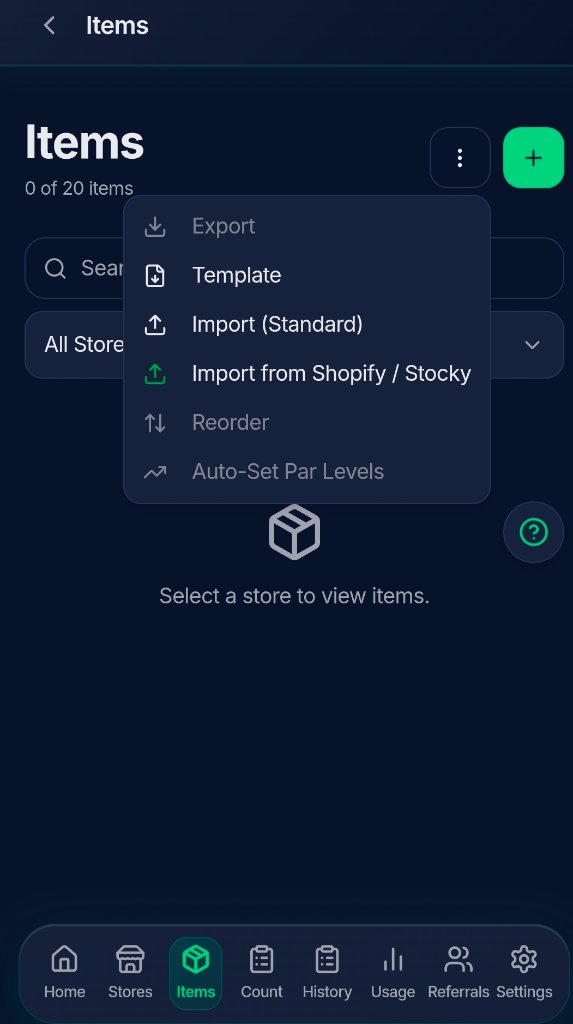
Import your PFG or supplier product list in minutes. CSV import supports category, brand, product number, pack size, UOM, and price. Or import directly from Shopify or Stocky.
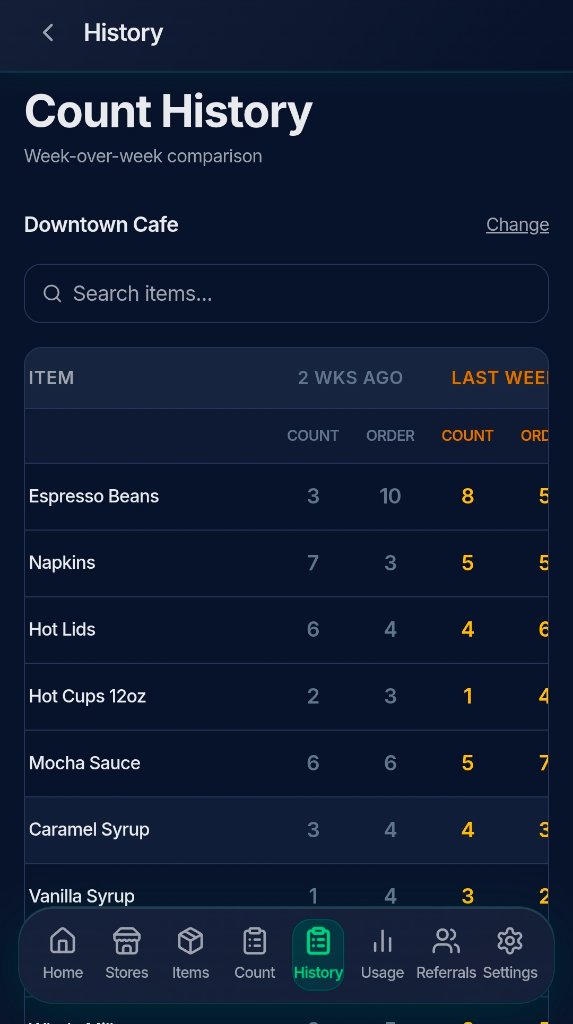
Count history you can trust
Every weekly count is saved. Compare week-over-week usage, spot trends, and catch discrepancies before they cost you money. Your data gets smarter the longer you use it.
Multi-location support
Running 2, 5, or 25 locations? Track each store separately, clone your inventory catalog for new locations with Duplicate Store, and see everything from one account.
Works offline
Count entry queues when you’re offline and auto-syncs the moment you reconnect. No more waiting for wifi or losing a count because the connection dropped.
// spreadsheets vs trackitweekly
Spreadsheets vs. TrackItWeekly for cafe inventory
| Feature | Spreadsheets | TrackItWeekly |
|---|---|---|
| Time per weekly count | 45-90 min | 10-15 min |
| Barcode scanning | No | Yes (camera + Bluetooth) |
| Automatic PAR calculation | Manual formulas | Fully automated |
| Ordering guidance | You figure it out | App tells you what to order |
| Count history | Manual archiving | Saved automatically |
| Offline counting | No | Yes |
| Multi-location | Separate files | One account, all stores |
| Cost | Free (but your time isn’t) | $19/mo |
// faq
Frequently asked questions
Can TrackItWeekly work without a POS system?
Yes. TrackItWeekly is a standalone cloud app. It does not require POS integration, Shopify, QuickBooks, or any other system. You count, the app calculates, and you order. That’s the entire workflow.
How long does it take to set up TrackItWeekly for a coffee shop?
Under 5 minutes. Import your vendor product list via CSV (or directly from Shopify/Stocky), set your store name, and start counting. PAR levels calculate automatically after your first few weeks of counts.
Does TrackItWeekly track coffee shop inventory specifically?
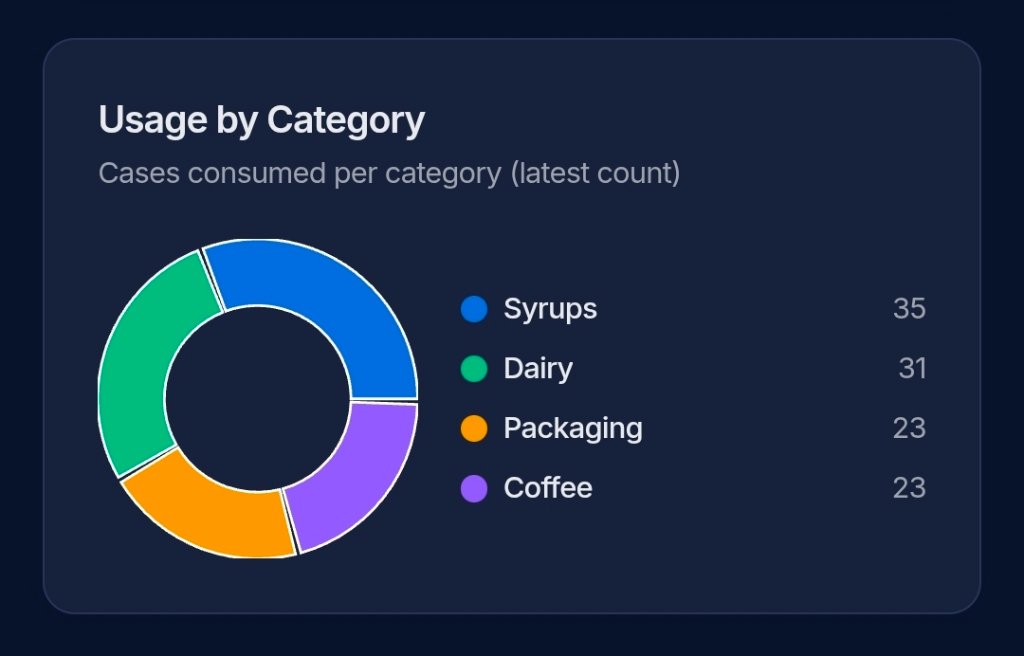
Yes. TrackItWeekly works for any cafe or coffee shop inventory: syrups, dairy, coffee beans, packaging, cleaning supplies, and anything else you count weekly. Categories are customizable and the import supports your vendor’s product structure.
What is the best inventory method for a cafe?
Weekly structured counting. Real-time tracking is overkill for most cafes and requires expensive POS integration. Monthly counting is too infrequent and leads to stockouts. Weekly counts with automatic PAR calculations hit the sweet spot: accurate enough to prevent stockouts, fast enough to actually get done.
Can I use TrackItWeekly for multiple cafe locations?
Yes. TrackItWeekly supports multi-location accounts. Each location gets its own inventory, counts, and ordering. You can clone your entire catalog to a new location with Duplicate Store when you open or onboard a new shop.
What devices does TrackItWeekly work on?
Any phone, tablet, or computer with a web browser. Barcode scanning works with your phone camera or any Bluetooth HID scanner (Zebra, Honeywell, Socket Mobile, Tera). No app download required.
Do I need POS integration to track my cafe inventory?
No. A repeatable weekly count and a clear replenishment process can be implemented independently of your POS. TrackItWeekly works alongside your existing POS system, so you can improve inventory control without replacing what you already use for sales. Compare inventory options.
Ready to stop guessing?
Start your 14-day free trial today. No credit card required. Set up in under 5 minutes.
Start Free TrialJust $19/month after your trial. Cancel anytime.